# How to Create a Group

<div class="wiki-content group" id="bkmrk-users-can-create-a-n">Users can create a new group by first navigating to the Groups page found under the Administration tab in the sidebar.

Then, click the Create New Group icon above the grid.
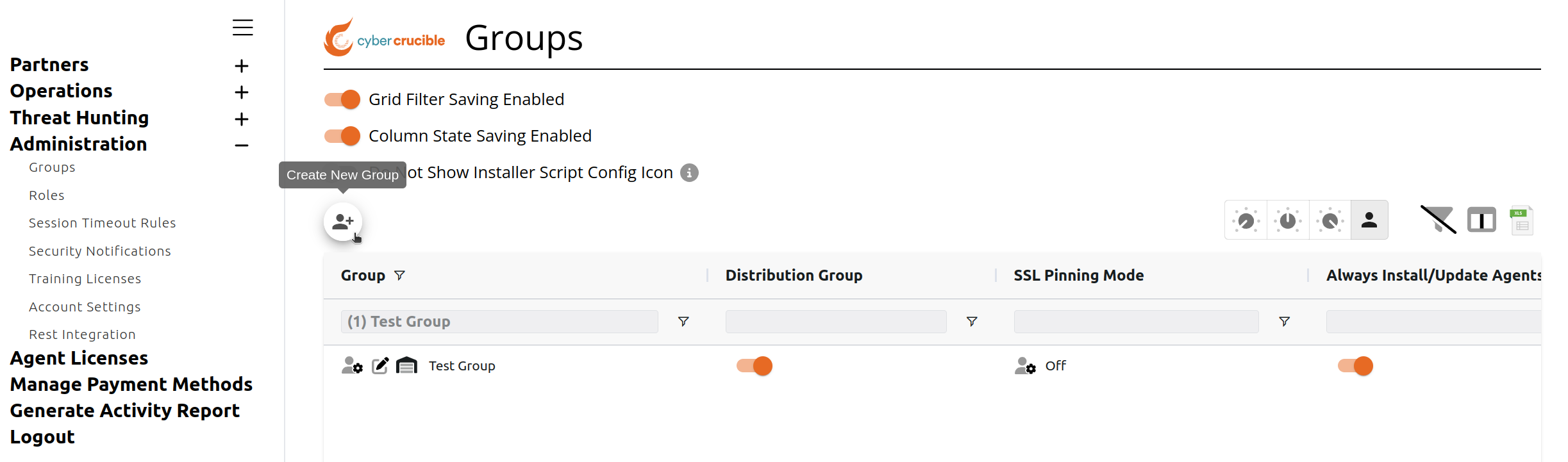
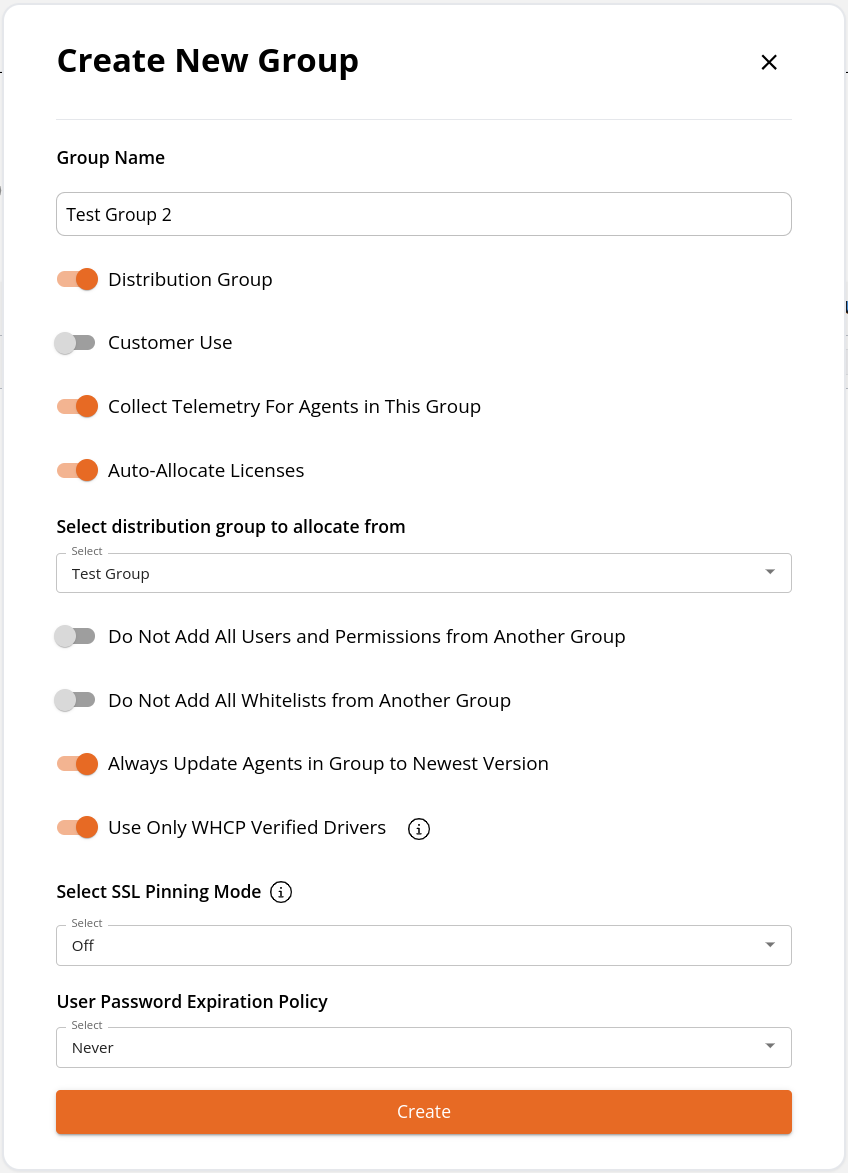
<span class="confluence-embedded-file-wrapper image-center-wrapper confluence-embedded-manual-size">![85098534.png?width=680](/attachments/378)</span>Clicking this icon will popup a modal where you can fill out the information for the new group. Note that the user who creates the group will automatically be added to the group as the Admin.
<span class="confluence-embedded-file-wrapper image-center-wrapper confluence-embedded-manual-size">![85032996.png?width=566](/attachments/377)</span></div><div id="bkmrk--4"> </div>